About me
Milan Krsmanovic
I'm a UX/UI designer from Serbia. Before design, I spent three years in customer experience, leading a team that handled complaints, billing disputes and warranty claims. That's where I learned where products actually let people down, and it's still where I start every project.
Today I work mostly in Figma and Framer, mobile first, and I use AI tools to get from an idea to a testable prototype much faster. What I bring to a project is the habit of asking what people are actually struggling with before deciding what the screen should look like.
what I can do for you
I design products that are easy to use, and I use AI to get to something testable much faster. The research and the decisions stay human.
1. Research & Discovery
Problem definition & requirements
User interviews, surveys & CX-informed insights
Competitive analysis
Personas, empathy maps & user flows
2. Prototype & Test
Interactive prototypes, built fast with AI tools
Wireframes when the flow is complex
Testing against requirements and with real users
Iteration based on what testing shows
3. UI Design
Clean, minimal visual design in Figma
Typography, color and component systems
Mobile-first, adapted for desktop
Developer-ready handoff
4. Web Design & Build
Landing pages and small websites
Built in Framer or code, ready to publish
Responsive across devices
Easy for you to update after launch
1. Research & Discovery
Problem definition & requirements
User interviews, surveys & CX-informed insights
Competitive analysis
Personas, empathy maps & user flows
2. Prototype & Test
Interactive prototypes, built fast with AI tools
Wireframes when the flow is complex
Testing against requirements and with real users
Iteration based on what testing shows
3. UI Design
Clean, minimal visual design in Figma
Typography, color and component systems
Mobile-first, adapted for desktop
Developer-ready handoff
4. Web Design & Build
Landing pages and small websites
Built in Framer or code, ready to publish
Responsive across devices
Easy for you to update after launch
1. Research & Discovery
Problem definition & requirements
User interviews, surveys & CX-informed insights
Competitive analysis
Personas, empathy maps & user flows
2. Prototype & Test
Interactive prototypes, built fast with AI tools
Wireframes when the flow is complex
Testing against requirements and with real users
Iteration based on what testing shows
3. UI Design
Clean, minimal visual design in Figma
Typography, color and component systems
Mobile-first, adapted for desktop
Developer-ready handoff
4. Web Design & Build
Landing pages and small websites
Built in Framer or code, ready to publish
Responsive across devices
Easy for you to update after launch
My Journey into Design
From three years of working directly with users in customer experience, through two years of learning design alongside full-time work, to designing clean, minimal digital products — my path into UX/UI was shaped by a genuine curiosity about how people think, feel and interact.
UX/UI Designer
Freelance
2025 - Present
UX/UI Designer
Freelance
2025 - Present
UX/UI Designer
Freelance
2025 - Present
UX/UI Design Training
Course & self-study
2023-2025
UX/UI Design Training
Course & self-study
2023-2025
UX/UI Design Training
Course & self-study
2023-2025
CX Specialist → Team Lead
Tehnomanija
2020 - 2023
CX Specialist → Team Lead
Tehnomanija
2020 - 2023
CX Specialist → Team Lead
Tehnomanija
2020 - 2023
My Tech Stack
Figma for interface design and design systems. Framer for building and publishing websites. Miro for user flows and journey maps. Notion for research and project organization. Claude and Claude Code for framing problems, making sense of research and building quick interactive prototypes. Each one has a clear place in how I work.

Figma
From first wireframe to pixel-perfect interface — this is where it all begins.

Framer
Bringing designs to life through fast, interactive web experiences.

Notion
Keeping research, insights and project planning organized in one place.

Miro
Mapping user flows and journey maps — keeping research visual and organized.

Claude & Claude Code
Framing problems, synthesizing research and building fast interactive prototypes.


How I work
From the first question to a working product. AI speeds up the making, but the thinking stays with me.
01.
Research & Strategy
Every project starts with the problem: what we're solving, for whom, and how we'll know it worked. Through user interviews, surveys and competitive analysis, I look at the users, constraints and existing patterns, and turn that into clear design requirements before touching a single frame.
01.
Research & Strategy
Every project starts with the problem: what we're solving, for whom, and how we'll know it worked. Through user interviews, surveys and competitive analysis, I look at the users, constraints and existing patterns, and turn that into clear design requirements before touching a single frame.

02.
Concept & Prototype
Instead of spending weeks on static screens, I use AI tools to build a clickable prototype early. When the flow is complex, I start with wireframes to get the structure right first. Either way, we're reacting to something real as soon as possible.
02.
Concept & Prototype
Instead of spending weeks on static screens, I use AI tools to build a clickable prototype early. When the flow is complex, I start with wireframes to get the structure right first. Either way, we're reacting to something real as soon as possible.
03.
Test & Iterate
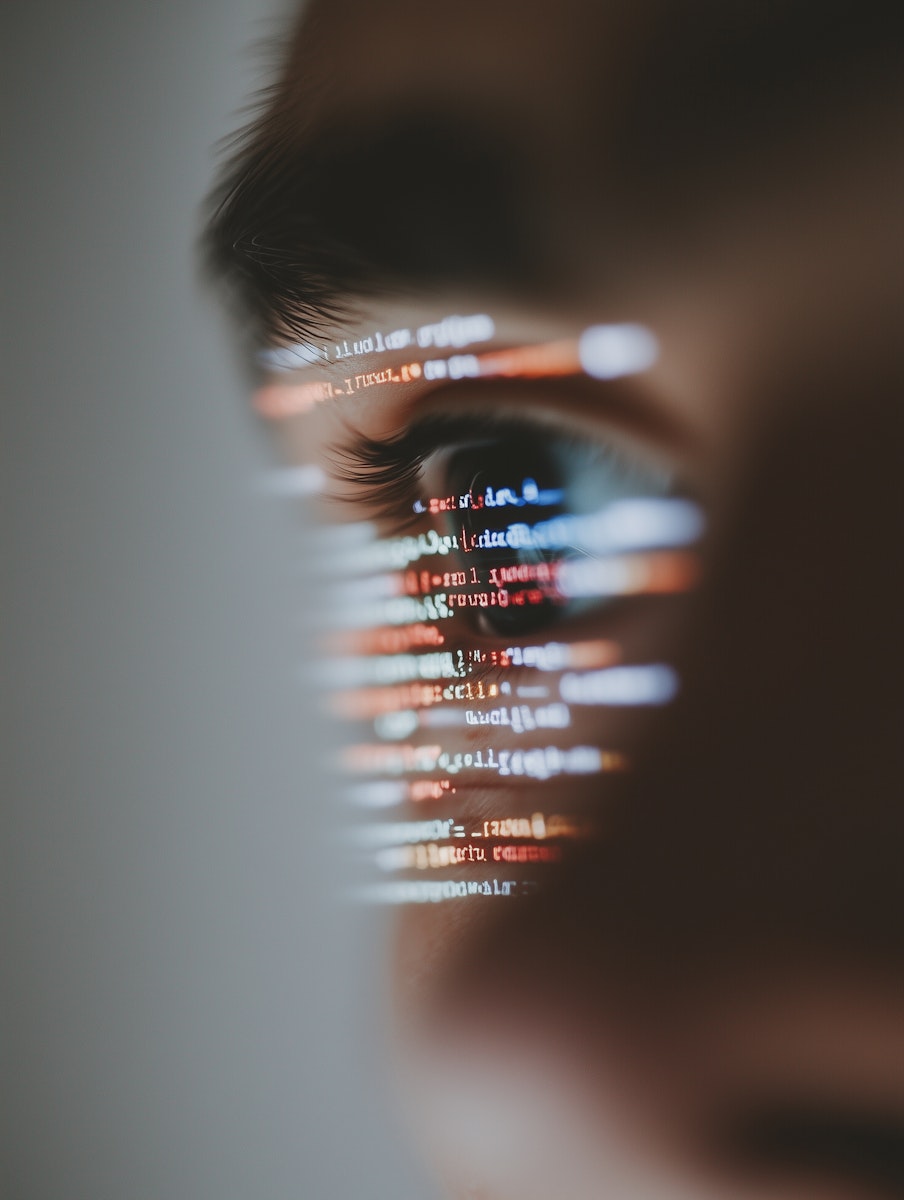
I check the prototype against the requirements, look for usability problems and test with real users whenever I can. Then I improve it based on what testing shows, and you're involved at every round.
03.
Test & Iterate
I check the prototype against the requirements, look for usability problems and test with real users whenever I can. Then I improve it based on what testing shows, and you're involved at every round.
03.
Test & Iterate
I check the prototype against the requirements, look for usability problems and test with real users whenever I can. Then I improve it based on what testing shows, and you're involved at every round.
04.
Refinement in Figma
Once the direction is validated, I move into Figma to polish the details: typography, spacing, components, and consistency across mobile and desktop. Any remaining friction points get fixed here, before delivery.
04.
Refinement in Figma
Once the direction is validated, I move into Figma to polish the details: typography, spacing, components, and consistency across mobile and desktop. Any remaining friction points get fixed here, before delivery.
04.
Refinement in Figma
Once the direction is validated, I move into Figma to polish the details: typography, spacing, components, and consistency across mobile and desktop. Any remaining friction points get fixed here, before delivery.
05.
Build & Handoff
For landing pages and smaller websites, I build and publish the site myself. For bigger products, I deliver an organized, developer-ready file and stay available after delivery to make sure everything lands as intended.
05.
Build & Handoff
For landing pages and smaller websites, I build and publish the site myself. For bigger products, I deliver an organized, developer-ready file and stay available after delivery to make sure everything lands as intended.

Hi
Hi
Let's Solve together
Have a product idea or a user problem that needs solving? Let's talk — I'd love to help turn it into a clean, intuitive experience.
About me
Milan Krsmanovic
I'm a UX/UI designer from Serbia. Before design, I spent three years in customer experience, leading a team that handled complaints, billing disputes and warranty claims. That's where I learned where products actually let people down, and it's still where I start every project.
Today I work mostly in Figma and Framer, mobile first, and I use AI tools to get from an idea to a testable prototype much faster. What I bring to a project is the habit of asking what people are actually struggling with before deciding what the screen should look like.
what I can do for you
I design products that are easy to use, and I use AI to get to something testable much faster. The research and the decisions stay human.
1. Research & Discovery
Problem definition & requirements
User interviews, surveys & CX-informed insights
Competitive analysis
Personas, empathy maps & user flows
2. Prototype & Test
Interactive prototypes, built fast with AI tools
Wireframes when the flow is complex
Testing against requirements and with real users
Iteration based on what testing shows
3. UI Design
Clean, minimal visual design in Figma
Typography, color and component systems
Mobile-first, adapted for desktop
Developer-ready handoff
4. Web Design & Build
Landing pages and small websites
Built in Framer or code, ready to publish
Responsive across devices
Easy for you to update after launch
1. Research & Discovery
Problem definition & requirements
User interviews, surveys & CX-informed insights
Competitive analysis
Personas, empathy maps & user flows
2. Prototype & Test
Interactive prototypes, built fast with AI tools
Wireframes when the flow is complex
Testing against requirements and with real users
Iteration based on what testing shows
3. UI Design
Clean, minimal visual design in Figma
Typography, color and component systems
Mobile-first, adapted for desktop
Developer-ready handoff
4. Web Design & Build
Landing pages and small websites
Built in Framer or code, ready to publish
Responsive across devices
Easy for you to update after launch
1. Research & Discovery
Problem definition & requirements
User interviews, surveys & CX-informed insights
Competitive analysis
Personas, empathy maps & user flows
2. Prototype & Test
Interactive prototypes, built fast with AI tools
Wireframes when the flow is complex
Testing against requirements and with real users
Iteration based on what testing shows
3. UI Design
Clean, minimal visual design in Figma
Typography, color and component systems
Mobile-first, adapted for desktop
Developer-ready handoff
4. Web Design & Build
Landing pages and small websites
Built in Framer or code, ready to publish
Responsive across devices
Easy for you to update after launch
My Journey into Design
From three years of working directly with users in customer experience, through two years of learning design alongside full-time work, to designing clean, minimal digital products — my path into UX/UI was shaped by a genuine curiosity about how people think, feel and interact.
UX/UI Designer
Freelance
2025 - Present
UX/UI Designer
Freelance
2025 - Present
UX/UI Designer
Freelance
2025 - Present
UX/UI Design Training
Course & self-study
2023-2025
UX/UI Design Training
Course & self-study
2023-2025
UX/UI Design Training
Course & self-study
2023-2025
CX Specialist → Team Lead
Tehnomanija
2020 - 2023
CX Specialist → Team Lead
Tehnomanija
2020 - 2023
CX Specialist → Team Lead
Tehnomanija
2020 - 2023
My Tech Stack
Figma for interface design and design systems. Framer for building and publishing websites. Miro for user flows and journey maps. Notion for research and project organization. Claude and Claude Code for framing problems, making sense of research and building quick interactive prototypes. Each one has a clear place in how I work.
Figma
From first wireframe to pixel-perfect interface — this is where it all begins.
Framer
Bringing designs to life through fast, interactive web experiences.
Notion
Keeping research, insights and project planning organized in one place.
Miro
Mapping user flows and journey maps — keeping research visual and organized.
Claude & Claude Code
Framing problems, synthesizing research and building fast interactive prototypes.
How I work
From the first question to a working product. AI speeds up the making, but the thinking stays with me.
01.
Research & Strategy
Every project starts with the problem: what we're solving, for whom, and how we'll know it worked. Through user interviews, surveys and competitive analysis, I look at the users, constraints and existing patterns, and turn that into clear design requirements before touching a single frame.
01.
Research & Strategy
Every project starts with the problem: what we're solving, for whom, and how we'll know it worked. Through user interviews, surveys and competitive analysis, I look at the users, constraints and existing patterns, and turn that into clear design requirements before touching a single frame.
02.
Concept & Prototype
Instead of spending weeks on static screens, I use AI tools to build a clickable prototype early. When the flow is complex, I start with wireframes to get the structure right first. Either way, we're reacting to something real as soon as possible.
02.
Concept & Prototype
Instead of spending weeks on static screens, I use AI tools to build a clickable prototype early. When the flow is complex, I start with wireframes to get the structure right first. Either way, we're reacting to something real as soon as possible.
03.
Test & Iterate
I check the prototype against the requirements, look for usability problems and test with real users whenever I can. Then I improve it based on what testing shows, and you're involved at every round.
03.
Test & Iterate
I check the prototype against the requirements, look for usability problems and test with real users whenever I can. Then I improve it based on what testing shows, and you're involved at every round.
03.
Test & Iterate
I check the prototype against the requirements, look for usability problems and test with real users whenever I can. Then I improve it based on what testing shows, and you're involved at every round.
04.
Refinement in Figma
Once the direction is validated, I move into Figma to polish the details: typography, spacing, components, and consistency across mobile and desktop. Any remaining friction points get fixed here, before delivery.
04.
Refinement in Figma
Once the direction is validated, I move into Figma to polish the details: typography, spacing, components, and consistency across mobile and desktop. Any remaining friction points get fixed here, before delivery.
04.
Refinement in Figma
Once the direction is validated, I move into Figma to polish the details: typography, spacing, components, and consistency across mobile and desktop. Any remaining friction points get fixed here, before delivery.
05.
Build & Handoff
For landing pages and smaller websites, I build and publish the site myself. For bigger products, I deliver an organized, developer-ready file and stay available after delivery to make sure everything lands as intended.
05.
Build & Handoff
For landing pages and smaller websites, I build and publish the site myself. For bigger products, I deliver an organized, developer-ready file and stay available after delivery to make sure everything lands as intended.
Hi
Hi
Let's Solve together
Have a product idea or a user problem that needs solving? Let's talk — I'd love to help turn it into a clean, intuitive experience.
About me
Milan Krsmanovic
I'm a UX/UI designer from Serbia. Before design, I spent three years in customer experience, leading a team that handled complaints, billing disputes and warranty claims. That's where I learned where products actually let people down, and it's still where I start every project.
Today I work mostly in Figma and Framer, mobile first, and I use AI tools to get from an idea to a testable prototype much faster. What I bring to a project is the habit of asking what people are actually struggling with before deciding what the screen should look like.
what I can do for you
I design products that are easy to use, and I use AI to get to something testable much faster. The research and the decisions stay human.
1. Research & Discovery
Problem definition & requirements
User interviews, surveys & CX-informed insights
Competitive analysis
Personas, empathy maps & user flows
2. Prototype & Test
Interactive prototypes, built fast with AI tools
Wireframes when the flow is complex
Testing against requirements and with real users
Iteration based on what testing shows
3. UI Design
Clean, minimal visual design in Figma
Typography, color and component systems
Mobile-first, adapted for desktop
Developer-ready handoff
4. Web Design & Build
Landing pages and small websites
Built in Framer or code, ready to publish
Responsive across devices
Easy for you to update after launch
1. Research & Discovery
Problem definition & requirements
User interviews, surveys & CX-informed insights
Competitive analysis
Personas, empathy maps & user flows
2. Prototype & Test
Interactive prototypes, built fast with AI tools
Wireframes when the flow is complex
Testing against requirements and with real users
Iteration based on what testing shows
3. UI Design
Clean, minimal visual design in Figma
Typography, color and component systems
Mobile-first, adapted for desktop
Developer-ready handoff
4. Web Design & Build
Landing pages and small websites
Built in Framer or code, ready to publish
Responsive across devices
Easy for you to update after launch
1. Research & Discovery
Problem definition & requirements
User interviews, surveys & CX-informed insights
Competitive analysis
Personas, empathy maps & user flows
2. Prototype & Test
Interactive prototypes, built fast with AI tools
Wireframes when the flow is complex
Testing against requirements and with real users
Iteration based on what testing shows
3. UI Design
Clean, minimal visual design in Figma
Typography, color and component systems
Mobile-first, adapted for desktop
Developer-ready handoff
4. Web Design & Build
Landing pages and small websites
Built in Framer or code, ready to publish
Responsive across devices
Easy for you to update after launch
My Journey into Design
From three years of working directly with users in customer experience, through two years of learning design alongside full-time work, to designing clean, minimal digital products — my path into UX/UI was shaped by a genuine curiosity about how people think, feel and interact.
UX/UI Designer
Freelance
2025 - Present
UX/UI Designer
Freelance
2025 - Present
UX/UI Designer
Freelance
2025 - Present
UX/UI Design Training
Course & self-study
2023-2025
UX/UI Design Training
Course & self-study
2023-2025
UX/UI Design Training
Course & self-study
2023-2025
CX Specialist → Team Lead
Tehnomanija
2020 - 2023
CX Specialist → Team Lead
Tehnomanija
2020 - 2023
CX Specialist → Team Lead
Tehnomanija
2020 - 2023
My Tech Stack
Figma for interface design and design systems. Framer for building and publishing websites. Miro for user flows and journey maps. Notion for research and project organization. Claude and Claude Code for framing problems, making sense of research and building quick interactive prototypes. Each one has a clear place in how I work.
Figma
From first wireframe to pixel-perfect interface — this is where it all begins.
Framer
Bringing designs to life through fast, interactive web experiences.
Notion
Keeping research, insights and project planning organized in one place.
Miro
Mapping user flows and journey maps — keeping research visual and organized.
Claude & Claude Code
Framing problems, synthesizing research and building fast interactive prototypes.
How I work
From the first question to a working product. AI speeds up the making, but the thinking stays with me.
01.
Research & Strategy
Every project starts with the problem: what we're solving, for whom, and how we'll know it worked. Through user interviews, surveys and competitive analysis, I look at the users, constraints and existing patterns, and turn that into clear design requirements before touching a single frame.
01.
Research & Strategy
Every project starts with the problem: what we're solving, for whom, and how we'll know it worked. Through user interviews, surveys and competitive analysis, I look at the users, constraints and existing patterns, and turn that into clear design requirements before touching a single frame.
02.
Concept & Prototype
Instead of spending weeks on static screens, I use AI tools to build a clickable prototype early. When the flow is complex, I start with wireframes to get the structure right first. Either way, we're reacting to something real as soon as possible.
02.
Concept & Prototype
Instead of spending weeks on static screens, I use AI tools to build a clickable prototype early. When the flow is complex, I start with wireframes to get the structure right first. Either way, we're reacting to something real as soon as possible.
03.
Test & Iterate
I check the prototype against the requirements, look for usability problems and test with real users whenever I can. Then I improve it based on what testing shows, and you're involved at every round.
03.
Test & Iterate
I check the prototype against the requirements, look for usability problems and test with real users whenever I can. Then I improve it based on what testing shows, and you're involved at every round.
03.
Test & Iterate
I check the prototype against the requirements, look for usability problems and test with real users whenever I can. Then I improve it based on what testing shows, and you're involved at every round.
04.
Refinement in Figma
Once the direction is validated, I move into Figma to polish the details: typography, spacing, components, and consistency across mobile and desktop. Any remaining friction points get fixed here, before delivery.
04.
Refinement in Figma
Once the direction is validated, I move into Figma to polish the details: typography, spacing, components, and consistency across mobile and desktop. Any remaining friction points get fixed here, before delivery.
04.
Refinement in Figma
Once the direction is validated, I move into Figma to polish the details: typography, spacing, components, and consistency across mobile and desktop. Any remaining friction points get fixed here, before delivery.
05.
Build & Handoff
For landing pages and smaller websites, I build and publish the site myself. For bigger products, I deliver an organized, developer-ready file and stay available after delivery to make sure everything lands as intended.
05.
Build & Handoff
For landing pages and smaller websites, I build and publish the site myself. For bigger products, I deliver an organized, developer-ready file and stay available after delivery to make sure everything lands as intended.
Hi
Hi
Let's Solve together
Have a product idea or a user problem that needs solving? Let's talk — I'd love to help turn it into a clean, intuitive experience.